Fix Blurry Photos with AI When Detail Still Exists
Use AI enhancement to improve soft, slightly blurry, or low-detail photos, while understanding when an image is too damaged to fully recover.
By MomentSift
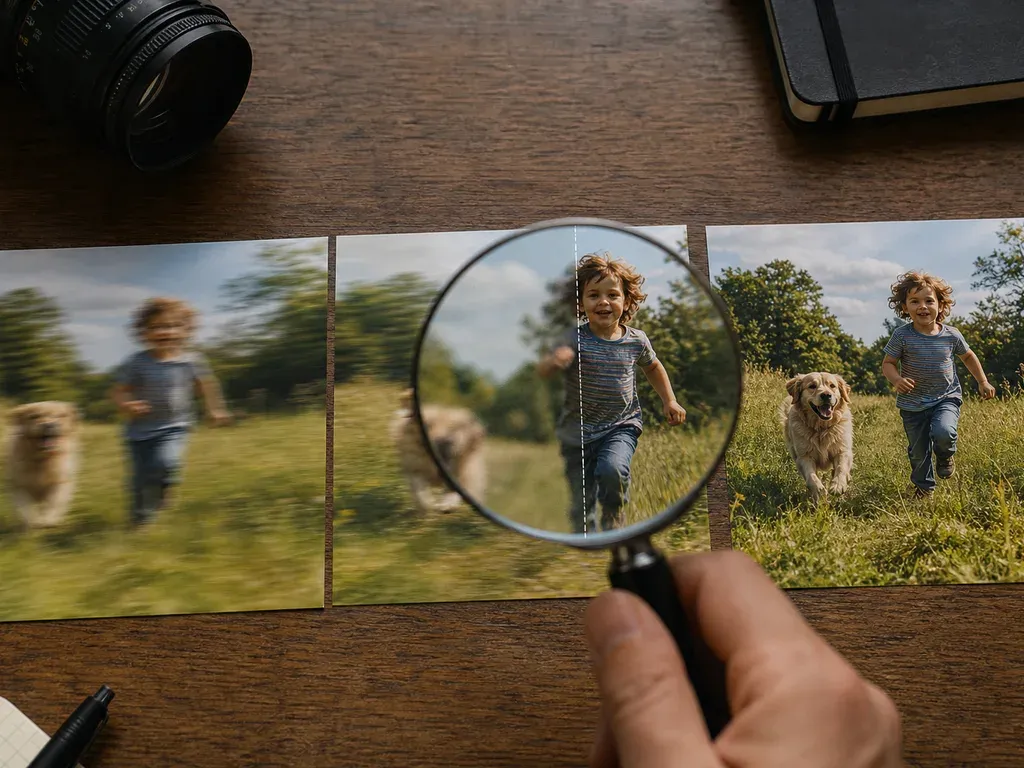
AI can improve some soft or low-resolution photos, but it cannot recreate detail that was never captured. Diagnose the blur, test a copy, choose the narrowest suitable tool, and compare identity and texture before exporting.
Step-by-step process
- 1
Diagnose the kind of blur
Separate missed focus, camera shake, motion blur, compression, and simple low resolution. Each problem has a different recovery ceiling, and some need a new capture rather than AI.
- 2
Test the least destructive option
Work on a duplicate and try a small enhancement or upscale first. Keep the original visible so you can compare whether detail improved or was merely invented.
- 3
Protect identity and important edges
For people, products, signs, and documents, check eyes, facial features, letters, straight lines, and boundaries. Do not accept a sharper image that changes what the photo says.
- 4
Judge at the delivery size
A result may be acceptable for a small web preview but fail in print or a large crop. Review it where the photo will actually be used.
- 5
Check what can realistically be restored
If the subject is severely smeared, highlights are clipped, or the critical detail is missing, keep the original and explain the limitation instead of promising a perfect repair.
Common mistakes to avoid
Assuming every blur is recoverable
AI can estimate plausible detail, but it cannot reliably restore information erased by severe motion or missed focus.
Sharpening until artifacts look like detail
Halos, plastic skin, repeating textures, and warped letters are warning signs, not proof of a successful repair.
Replacing the source file
Keep the original and the test output separate so the result can be compared, revised, or rejected later.
Before you finish
- The blur type and recovery ceiling are understood.
- A duplicate was tested before the original batch.
- Faces, text, edges, and identity were checked.
- The result was judged at its delivery size.
- Original and enhanced versions remain separate.