Culling and editing comparison
An Imagen AI alternative for browser-based photo culling
Looking for an Imagen AI alternative? Start by deciding whether you need help choosing photos or reproducing an editing style. MomentSift can help with the first job, but it does not replace a trained editing profile.
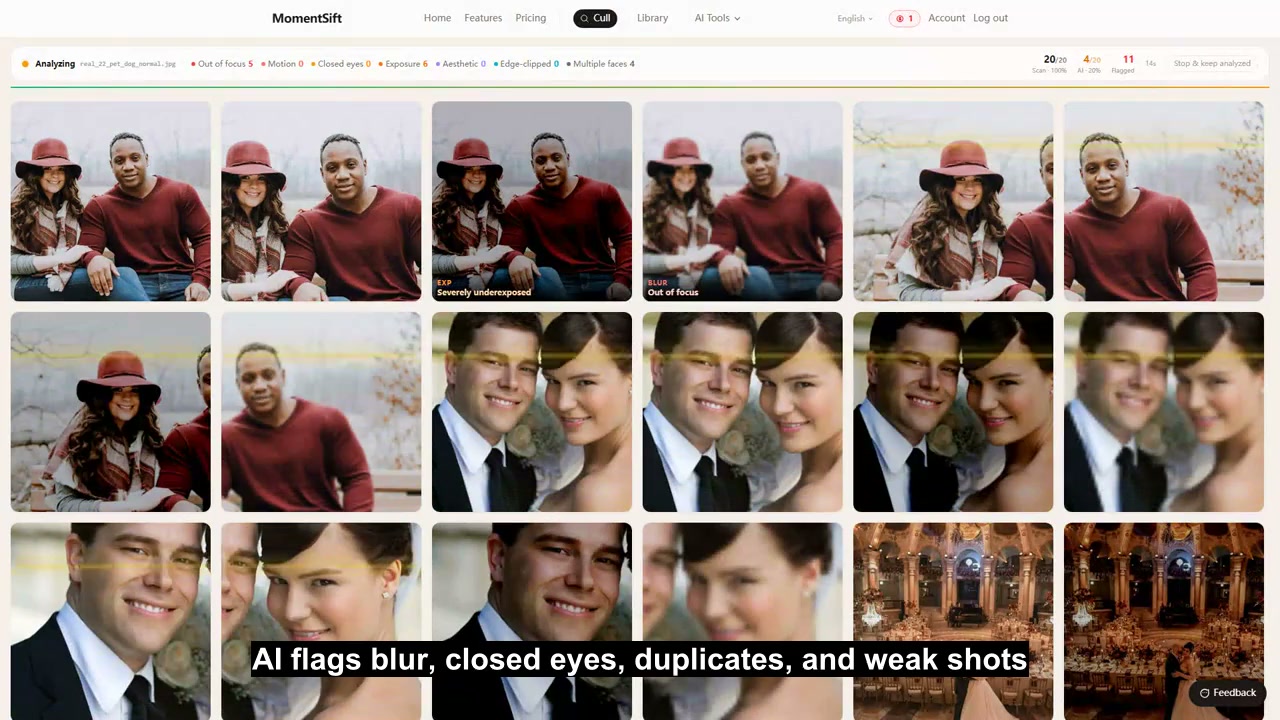
At a glance
Consider MomentSift if you want to review a folder in your browser and take the keepers to another editor. Keep Imagen on your shortlist if a repeatable editing style is the main reason you use AI. This comparison is published by MomentSift and uses the linked product documentation, not a measured speed or quality test.
Compare the features
| Criterion | MomentSift | Imagen |
|---|---|---|
| Getting started | Open the browser app and try a small supported photo batch. You still need an account for the culling allowance and credit-based tools. | The documented workflow starts with installing the Imagen app. |
| What you are choosing | Review similar shots and technical flags, then confirm the photos to keep. Judge whether the suggestions reduce your review work on your own photos. | Imagen includes culling as well as profile-based editing. |
| Matching an editing style | Enhancement and creative tools work on selected images. They do not learn a Lightroom catalog or import an Imagen AI Profile. | Personal, Lite Personal, and ready-made AI Profiles support different starting points for editing. |
| Lightroom workflow | Export keepers and optional XMP ratings. Test a small handoff in Lightroom Classic before relying on it for a client job; ratings are not a transferred editing profile. | The documented process accepts a catalog or photo folder and lets you review downloaded edits in your editing software. |
| Photo handling | Culling uses local checks and cloud analysis of thumbnail previews. Enhancing a keeper can upload the image needed for that operation; browser-based does not mean fully offline. | Imagen documents an upload-and-edit workflow. Check its current privacy terms against your client requirements. |
| A useful trial | Try a representative set with repeated expressions and a few difficult images. Count missed keepers and manual corrections, then check the current photo allowance and AI credits on Pricing. | Review the current Imagen trial terms before comparing costs. A trial allowance is not a promise of unlimited free use. |
Choose MomentSift when
- • You need an Imagen alternative for photo culling rather than a replacement for your established color treatment. Keep the editor you already trust and evaluate the selection step separately.
- • You want to review occasional travel, family, or creator batches without setting up a profile. Open the exported files before committing a larger archive to a new workflow.
Choose Imagen when
- • Your decision depends on AI editing profiles. Compare the editing result on mixed lighting and skin tones, not just the number of photos selected.
- • Your current Imagen workflow already produces the edits you need. Measure the extra work involved in switching before replacing it just to change the culling step.
Sources checked
- Imagen — getting started and editing workflow · accessed 2026-09-20
- Imagen — trial explained · accessed 2026-09-20